04The GolfBod guide
Logging & progression
One-tap set logging, plate math on the bar, automatic progression and recovery weeks.
Logging a session
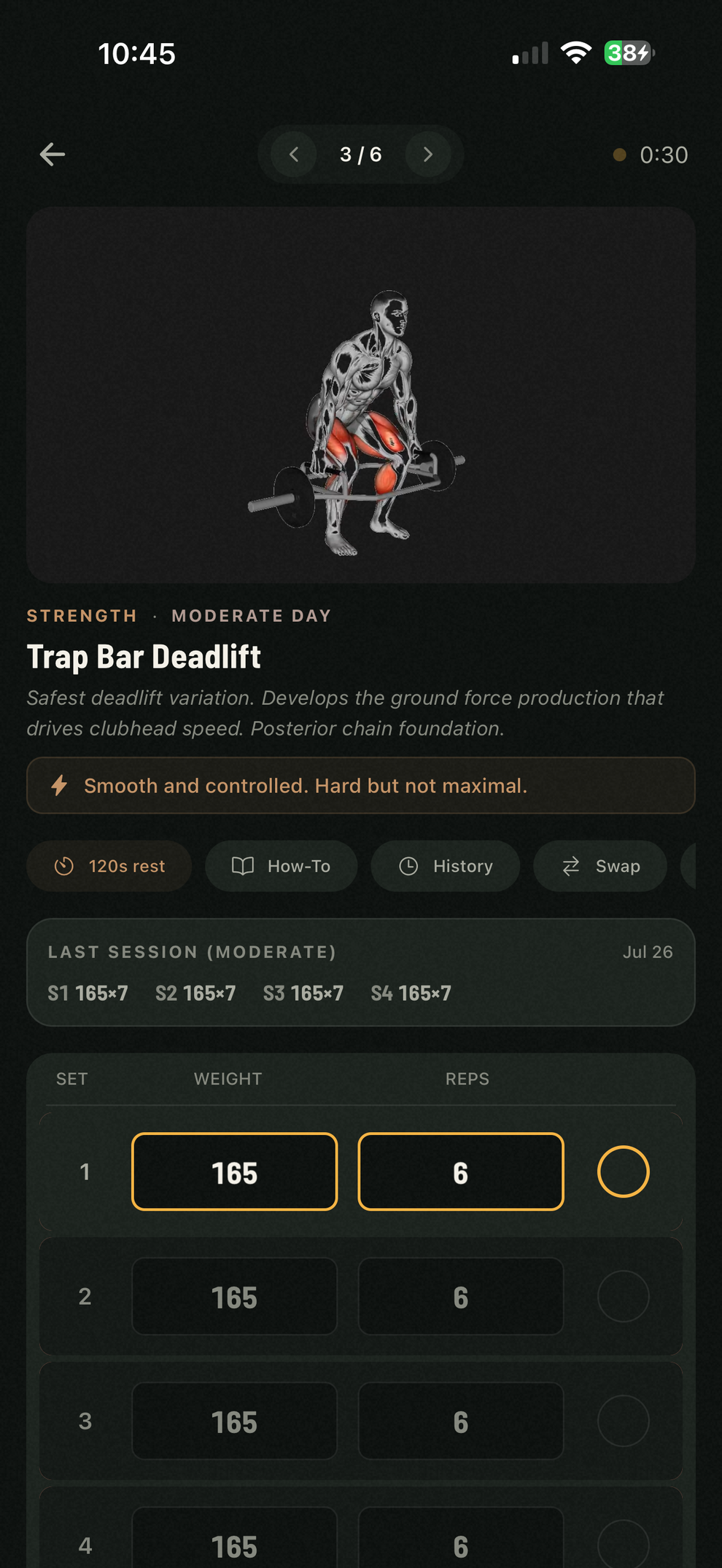
Every exercise shows its sets with the weight and reps already filled in from your plan. One tap logs a set as prescribed; a couple more adjust the weight or reps to what actually happened. Your last session's numbers sit right above the inputs — what you did last time is the target to beat today.
- A rest timer runs between sets, tuned to the block you're in.
- Logging works fully offline — everything syncs when you're back online.
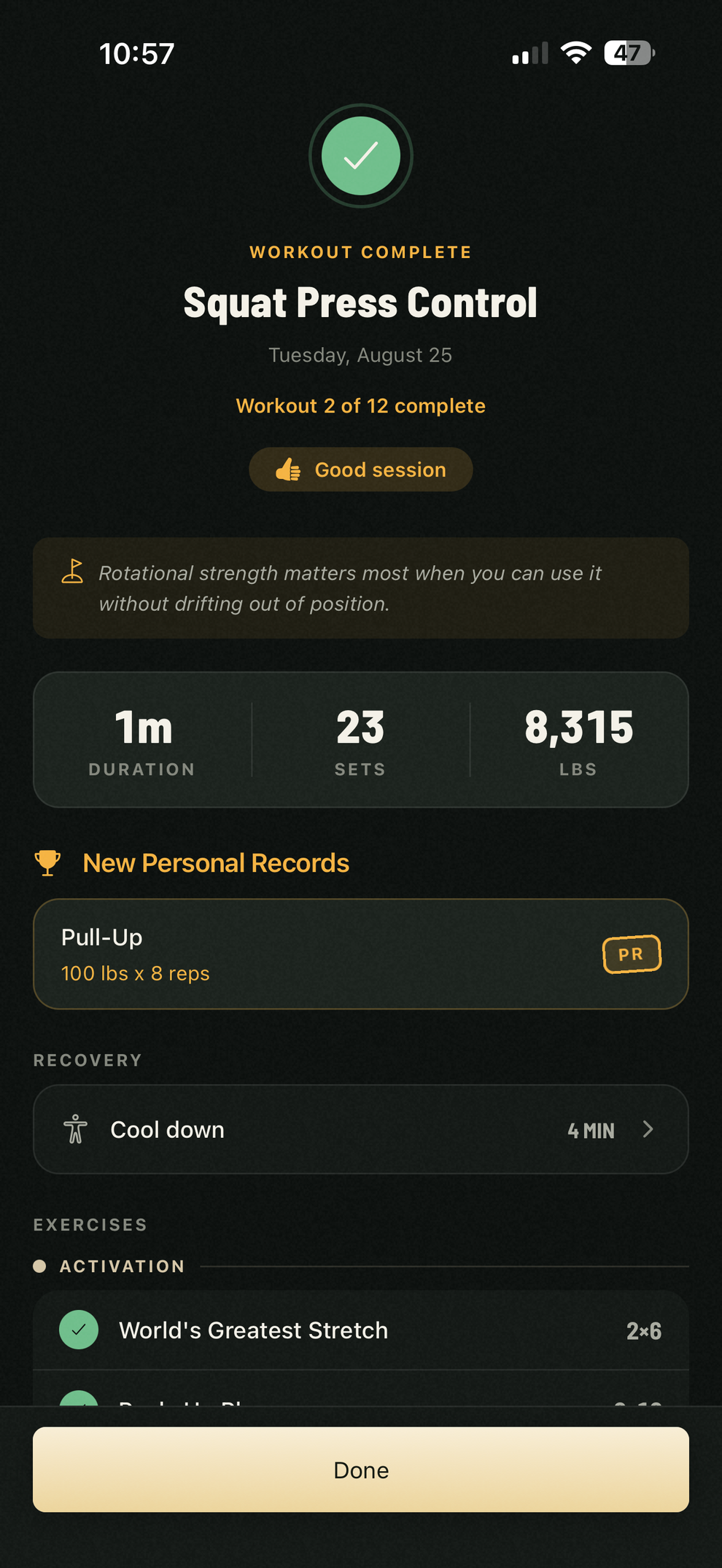
- Rate the session on the summary screen; effort feeds the coaching.
Timed exercises and switching sides
For exercises measured in seconds, use the exercise timer. When a timed exercise works each side, GolfBod pauses after the first side so you can change position. Start the timer again when you are ready. The side cue sits beneath the seconds field.
The same pause between sides works in mobility sessions and pre-round warm-ups.
Plates on the bar
Barbell exercises carry a quiet line under each set: the plates to load per side. The row tells you what goes on the bar, so there's no arithmetic between sets.
- By default the readout assumes a standard bar and plate set. Own something different? Declare your plates in Settings — your bars, including trap bars, and the plate pairs on your rack — and the readout counts what you actually have.
- With plates declared, barbell prescriptions stay loadable: new programs, swaps, and weight increases all land on totals you can build.
- Type a weight that can't be built and GolfBod shows the closest one that can. The readout is optional — turn it off in Settings.
How progression works
GolfBod adjusts weights from what you log. Get all your reps and the target goes up next session; reach the top of the rep range and the weight goes up. Miss twice in a row and the weight comes down so you can rebuild the reps. Every adjustment is logged to your Activity feed with the reason attached.
When you first start, or start a new program, GolfBod sets your starting weights: the first sessions read how the prescribed weights actually felt and settle each lift at the right level. Weights carry through equipment swaps and into future programs, because they come from what you logged, not from a questionnaire.
Progression respects your plates, too. With your inventory declared, a barbell lift's weight increases land on totals you can actually load — and when your plates can't build the next step, GolfBod holds and tells you why in the Activity feed. Adding plates resumes the climb.
Personal records and progress
PRs are detected automatically from your logs after each session and posted to your feed — no claiming required. The Progress tab is your player's record: strength trends by type of movement, weekly volume, your training streak, and a calendar of trained days.