02The GolfBod guide
Programs
How GolfBod writes a multi-week plan — and how to write your own.
What a GolfBod program is
A program is a multi-week plan, not a library of workouts. It moves through phases: an introduction week to set your weights, weeks that build, and the heaviest weeks at the end. Longer programs add an easier recovery week between the harder stages (coaches call it a deload). Every workout is full-body and arranged in blocks: activation, power, strength, rotation, and decompression. Rotation work stays in every workout, because that is what the swing asks for.
Programs scale from short sessions to long ones. Pick a different session length and the structure changes, not only the number of exercises, so a short day is still a complete day.
Seasons
Programs know what part of the golf year you're in. Off-season builds strength with heavier, longer programs. Pre-season shifts toward speed with more power work. In-season maintains what you built while keeping you fresh for the rounds that matter. You choose the season when a program is generated, and the block is shaped accordingly.
The course map
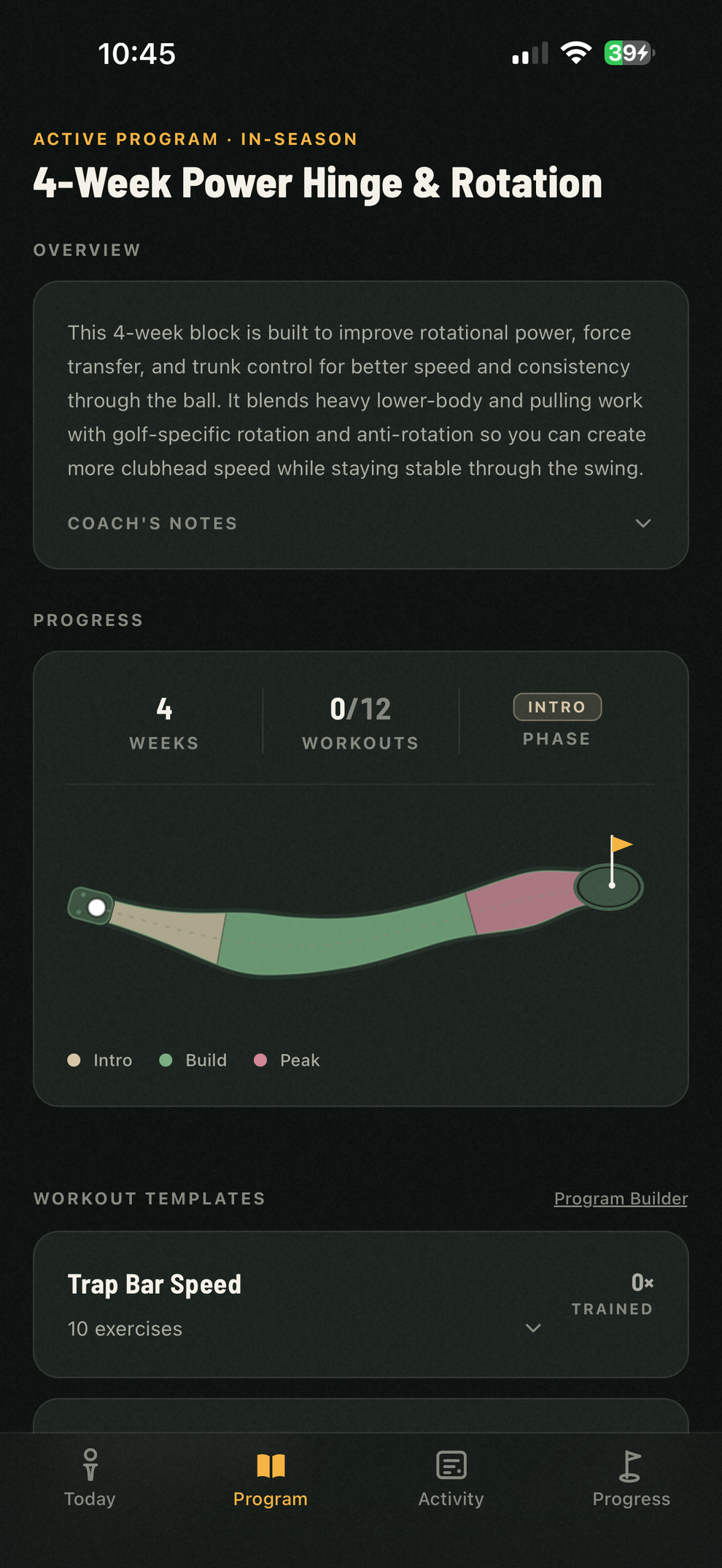
The Program tab draws your program as a golf hole: phases tint stretches of the fairway, recovery weeks pinch it into a bunker, and a ball marks the workout you're on. The strip above it states the facts: weeks, workouts completed, current phase.
Writing your own program
ProThe program builder lets you compose a program yourself from the same building blocks GolfBod uses: session blocks and the full exercise library. Save any session as a template and reuse it across programs.
Personal program building is included with Pro. Instructors can also build programs for their team through GolfBod Coaching, without a separate personal Pro subscription.
- Your program still gets coached. Weights and reps still adjust from what you log, starting weights still settle in the first week, and rounds still change the nearby workouts — exactly as they do for programs GolfBod writes.
- A coach's review flags what a golf program shouldn't miss — no rotation work, push/pull imbalance, missing decompression — before you run it. It advises; it never blocks.
- Starting weights come from your logs. Any new program, written or generated, starts from the weights you've actually been lifting.
Ending and re-running programs
Finish a block and GolfBod offers the natural next step — keep building on what you ran, or run it back. Start Fresh reads the program before it and deliberately steers away from its primary lifts and session names, while the weights you earned still carry forward. You can end an active program any time from the Program tab; your logged history and PRs always stay.